Price Monitoring vs Page Monitoring: Why Generic Watchers Miss Price Changes
When a merchant first decides to stop checking competitors by hand, the first tools they find are page-change watchers: Visualping, Distill.io, the open-source changedetection.io. They're free or cheap, take a minute to set up, and for the first week they feel like magic. By week three, most merchants have muted the notifications. (We've since published a full head-to-head: StoreSentry vs Visualping.)
This isn't because the tools are bad — they're excellent at what they're built for. It's because watching a page and watching a price are fundamentally different problems. Understanding the difference will save you either money or frustration, depending on which side you're currently on.
How page watchers work
A page watcher loads a URL on a schedule, takes a snapshot (visual, text, or HTML), and compares it with the previous snapshot. Any difference above a threshold triggers an alert. Some let you select a specific region or CSS element to narrow the watch area.
This design is content-agnostic: the tool has no idea what a "price" or "product" is. It sees pixels and text. That's a strength — it works on literally any website — and the root of every weakness that follows.
The three chronic problems
1. Noise you can't fully filter
Modern store pages are alive: rotating hero banners, countdown timers, "12 people are viewing this" widgets, review carousels, cookie banners, A/B tests serving different layouts to different visits. Every one of these is a "change." Region-selection helps, but selectors break when the theme updates, and some noise (like A/B variants) is indistinguishable from real changes at the page level. The practical result reported by users of every such tool: alert fatigue. When 9 of 10 alerts are banners, you stop reading alerts — including the real one.
2. One page ≠ the catalog
Watching a competitor's homepage or one product page tells you nothing about the other 200 products. Did they quietly drop prices on their mid-range line? Launch three products in a collection you don't watch? Sell out of their bestseller? A page watcher can only answer for the pages you configured — and nobody configures 200 pages per competitor.
3. No memory of values, only diffs
Page watchers tell you "something changed here." They don't tell you "price went from $49 to $39, that's -20%, and it's the third drop this quarter." Without structured history, you can't see patterns — and patterns (sale cadence, discount depth, launch rhythm) are the actual competitive intelligence.
What price monitoring does differently
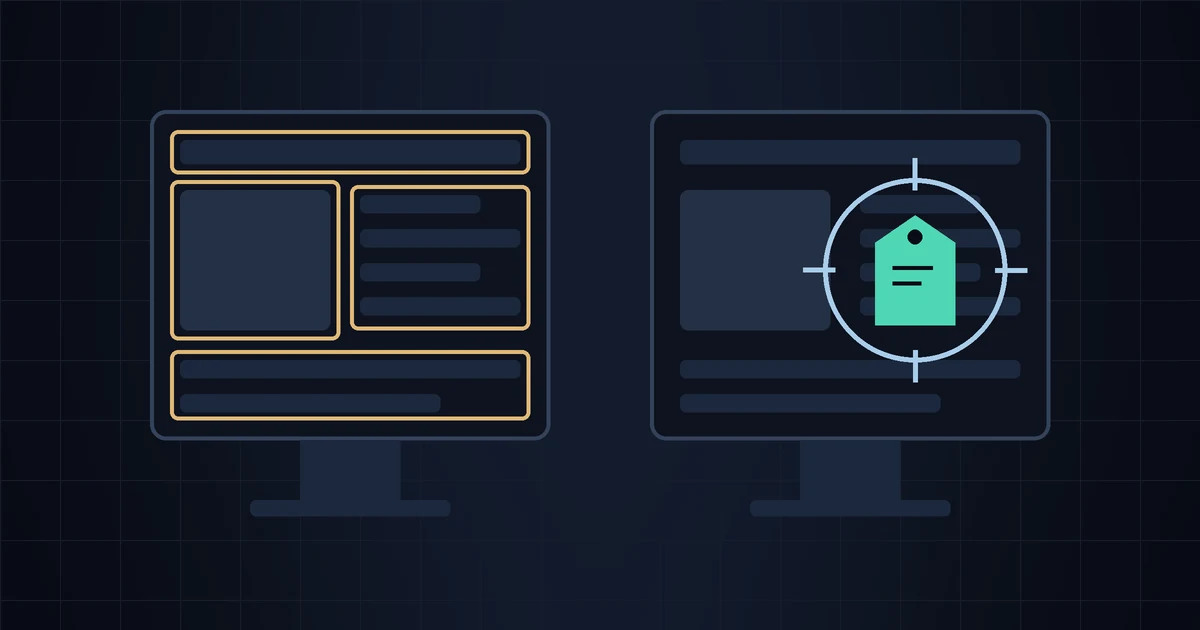
A price-aware monitor doesn't look at pages at all. It reads the store's catalog as structured data — for Shopify stores, the public /products.json endpoint — where a price is a number in a named field attached to a specific product variant. That one design difference cascades:
- Zero cosmetic noise. Banners, timers and widgets don't exist in catalog data. If you get an alert, a price actually changed.
- Full-catalog coverage by default. Every product, every variant, including ones added after you set up the watch. New launches announce themselves.
- Semantic events, not diffs: "price drop," "back in stock," "sold out," "new product," "discount started" — each with old and new values.
- History for free. Since values are structured, storing a price timeline per product is trivial — and that's where patterns emerge.
| Page watcher | Price monitor | |
|---|---|---|
| Works on any website | ✅ Yes | Platform-dependent (Shopify: excellent) |
| False alarms from banners/widgets | Constant | None |
| Sees the whole catalog | Only configured pages | ✅ Automatically |
| Detects new product launches | Only on watched pages | ✅ Yes |
| Stock status (sold out / restocked) | Unreliable | ✅ Per variant |
| Price history & trends | No | ✅ Yes |
| Typical cost | $0–15/mo | $0–40/mo (small-store tools) |
When a page watcher IS the right tool
Fair is fair — page watchers win in plenty of scenarios:
- Watching a SaaS pricing page, a competitor's careers page, or their terms of service
- Monitoring a non-Shopify store where no structured endpoint exists
- Waiting for a specific one-off change ("notify me when this page says 'in stock'")
- Tracking editorial content, press pages, or regulatory notices
Rule of thumb: watching a page → page watcher; watching a merchant → price monitor.
Price monitoring, built for small Shopify stores
StoreSentry reads competitor catalogs as structured data — so you get real events (price drops, launches, sellouts) in a daily digest, not pixel-diff noise. Free plan for 2 competitors, $19/mo for 5.
Install the app — free for 2 competitors →