Build a Competitor Price Tracker with n8n and /products.json
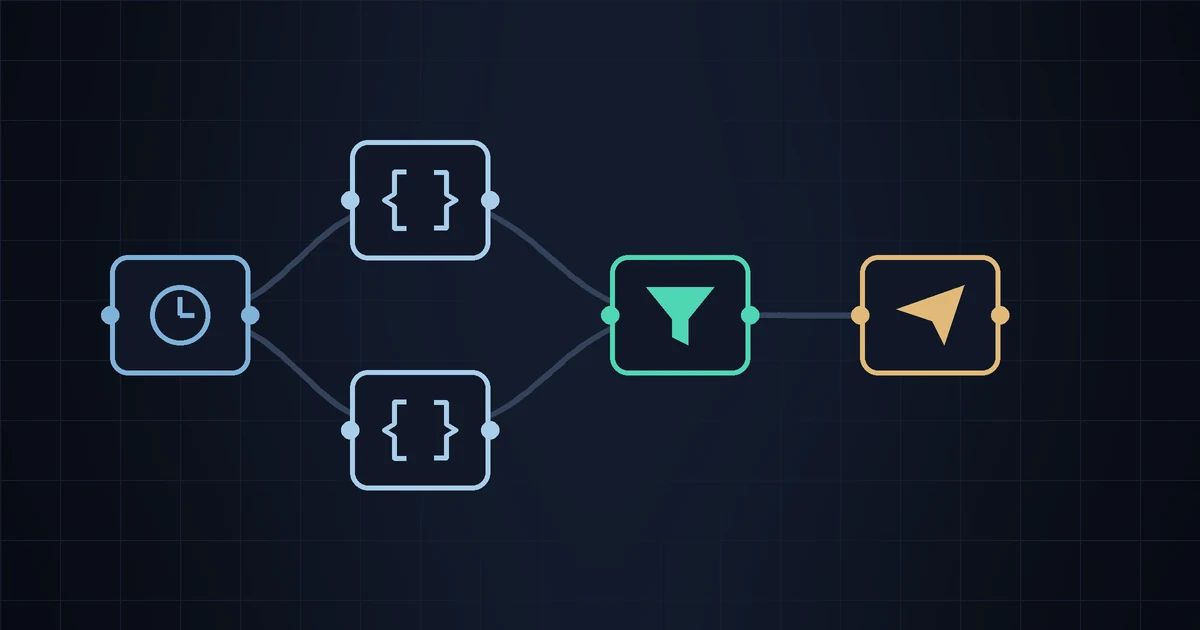
We sell a competitor monitoring app, so treat this with appropriate suspicion — but the DIY version genuinely works, and if you already run n8n for something else, this is an hour of your evening rather than a subscription. Six nodes, no scraping, no browser automation, no HTML parsing. Every Shopify store publishes its catalog as JSON, and n8n is very good at fetching JSON on a timer and shouting when a number changes.
Here's the whole build, with the code, followed by the parts that break three weeks in. That second list is the honest part, and most tutorials skip it.
What you're building
A workflow that runs every morning, downloads a competitor's full catalog, compares every variant price against what it saw yesterday, and sends you a Telegram message listing only what moved. Nothing else. No dashboard, no charts, no history — just a diff and a notification.
The data source is the endpoint every Shopify storefront exposes by default: append /products.json to any Shopify domain and you get the catalog as structured data. We wrote a full explainer on that endpoint — what's in it, what isn't, and why it's public. Skim it first if this is new to you; the rest of this piece assumes you know what a variant is.
Prerequisites
n8n's Community Edition is free to self-host. One Docker command gets you a working instance:
docker run -d --name n8n -p 5678:5678 \
  -v n8n_data:/home/node/.n8n \
  docker.n8n.io/n8nio/n8n
That's fine on a $5 VPS or a machine that's always on. It is not fine on your laptop — a scheduled workflow only runs when n8n is running, and a laptop that sleeps at night is a tracker that checks prices whenever you happen to open it. n8n Cloud removes the hosting question for roughly the monthly price of a cheap monitoring app; check their current pricing, it moves.
You'll also want a Telegram bot (talk to @BotFather, takes two minutes) or SMTP credentials for email. Which one you want isn't obvious — we argued it out in Telegram vs email for competitor alerts.
Node 1: Schedule Trigger
Add a Schedule Trigger and set it to run daily at a fixed hour. Pick something like 07:00 in your own timezone — set n8n's GENERIC_TIMEZONE or you'll be debugging UTC at some point.
Daily is the right default for almost everyone. Hourly checks in a niche where prices move twice a month generate noise and nothing else; we put actual numbers behind that in how often you should check competitor prices.
Node 2: HTTP Request
Method GET, URL:
https://competitor-store.com/products.json?limit=250Response format: JSON. Under Options → Headers, add a User-Agent that says who you are — something like MyStore-PriceWatch/1.0 (hello@mystore.com). Default HTTP-client user agents are the first thing a rate limiter blocks, and identifying yourself is both good manners and the practice that keeps you on the right side of the etiquette we described in the legal and ethical guide.
limit maxes out at 250 products per request. Most small stores fit in one page. If your competitor has more, add a second request with &page=2, or an n8n loop that increments the page until the products array comes back empty. Start with one page and add the loop only when you need it.
Node 3: Code — flatten to variant rows
The response is nested: products contain variants, and the variant is where the price lives. Flatten it into one row per variant with a stable key. Add a Code node, mode "Run Once for All Items":
const rows = [];
for (const item of $input.all()) {
  for (const p of item.json.products) {
    for (const v of p.variants) {
      rows.push({ json: {
        key:       p.handle + '|' + v.title,
        title:     p.title,
        variant:   v.title,
        price:     parseFloat(v.price),
        available: v.available,
        url:       'https://competitor-store.com/products/' + p.handle
      }});
    }
  }
}
return rows;
The key matters more than it looks. handle is the URL slug, which survives a product being renamed; the variant title distinguishes "Large / Black" from "Small / Black". You can key on the numeric variant ID instead — it's the most stable option, but it makes debugging harder, because the key then tells you nothing when you read it.
Node 4: Code — the diff
This is the only genuinely interesting node. n8n has no built-in database, but every workflow gets a persistent scratchpad via $getWorkflowStaticData, which survives between executions. That's enough for a price tracker:
const store = $getWorkflowStaticData('global');
store.prices = store.prices || {};
const changes = [];

for (const item of $input.all()) {
  const r = item.json;
  const prev = store.prices[r.key];

  if (prev === undefined) {          // first sighting: record, don't alert
    store.prices[r.key] = r.price;
    continue;
  }
  if (prev !== r.price) {
    changes.push({ json: Object.assign({}, r, {
      was: prev,
      now: r.price,
      dir: r.price > prev ? 'up' : 'down'
    })});
  }
  store.prices[r.key] = r.price;
}
return changes;
The prev === undefined branch is what stops your first run from alerting on all 400 products. New products get recorded silently on the run that discovers them — which also means you don't get launch alerts. If you want those, emit an item in that branch too, tagged as a launch rather than a price change.
The gotcha: static data only persists on production executions — scheduled runs and webhook triggers. Hit "Test workflow" manually and the changes are discarded when the run ends. Everyone building this spends twenty minutes wondering why their diff never fires. Activate the workflow and wait for a real run.
If you'd rather keep the history, swap this node for a Google Sheets or Postgres node: append every observation, read back the last value per key. Slower to build, but you get an audit trail and price charts for free, which static data can never give you.
Nodes 5 and 6: filter and notify
If the diff returns nothing, there's nothing to send. An IF node on the item count, or simply letting the Telegram node receive zero items (it then does nothing), both work.
Then a Telegram node, chat ID from your bot, message:
{{$json.title}} — {{$json.variant}}
{{$json.was}} → {{$json.now}} ({{$json.dir}})
{{$json.url}}
That's one message per changed variant. If a competitor runs a sitewide sale you'll get sixty messages at 07:00, so once it works, add a Code node that concatenates everything into a single digest message. You will want this sooner than you expect.
The seven things that break
- The endpoint isn't always there. Some stores disable
/products.json, some sit behind bot protection, and stores on Wix, BigCommerce or Squarespace never had it. A 404 or a 403 means this whole approach doesn't apply to that competitor, and no amount of n8n fixes it. - Multi-currency lies to you. The endpoint returns prices in the store's base currency, not the one their visitors see. If they display EUR and bill in USD, your diff is comparing the wrong number to your own.
- The listed price often isn't the paid price. Checkout discounts, automatic bundles and permanent
compare_at_pricetheatre are all invisible here. Your tracker sees $34; the customer pays $27. That's common enough that we gave it its own article. - Variant renames look like new products. "Large" becomes "L", your key changes, the old row goes stale and the new one counts as a first sighting. Silent, and you only notice when a product quietly stops reporting.
- Static data grows forever. Discontinued products stay in the object. Prune keys you didn't see in the current run, or the blob slowly bloats your n8n database.
- Execution history eats disk. Daily runs across several stores fill the executions table fast. Set an execution data max age and a prune interval on day one, not after the VPS fills up.
- It fails silently. A workflow that errors sends you nothing, and "no messages" is indistinguishable from "no price changes". Add an Error Trigger workflow that pings you, or you'll spend months trusting a tracker that stopped working in April.
What it actually costs
An hour or so to build if you know n8n, an evening if you don't. Then a VPS, occasional maintenance, and the standing cost of being the person who fixes it when something changes upstream. That's a real trade rather than a free lunch — but it's a fair one if you enjoy this sort of thing, and you end up owning your data with no per-SKU pricing tier in sight.
DIY wins when you have unusual requirements: pushing alerts into an internal system, custom logic per competitor, tracking non-Shopify sources through the same pipeline. Buying wins when you want price history, deduplication, digests, retries and someone else on call — those are the boring parts, and they are most of the work. Our tool comparison covers the paid end without pretending we're neutral.
Or skip the evening
StoreSentry does what this workflow does — Shopify and WooCommerce catalogs, scheduled checks, email or Telegram alerts on price changes, launches and stockouts — plus the price history and digesting that a static-data diff can't give you. The free tier tracks one competitor, no card.
Install the app — free for 1 competitor →The short version
Schedule trigger, HTTP request, flatten, diff against static data, notify. That's a competitor price tracker, and it really is six nodes. Build it, run it for two weeks, and count how many alerts you actually get — that number tells you more about whether monitoring is worth paying for in your niche than any feature comparison will. Two alerts a month and you should keep the workflow. Forty, and you've learned something worth knowing about how much competitor watching your category really needs.