compare_at_price Explained: Spotting Fake Discounts on Shopify Stores
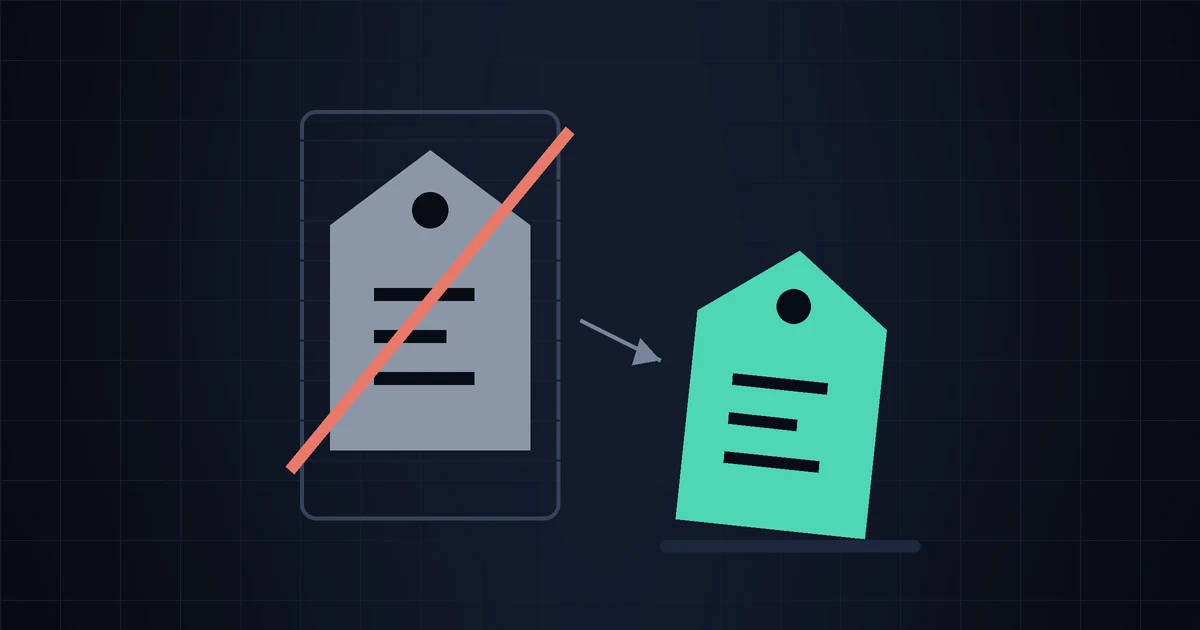
You've seen it a thousand times: a product page showing $79.00 $39.00, with a cheerful "50% OFF" badge. It looks like a decision has been made for you. But on a Shopify store, that struck-through number isn't a fact about the past — it's a text field a merchant typed into a box. It's called compare_at_price, and understanding it is one of the highest-leverage things a small store owner can learn about competitor pricing.
This post covers what the field actually is, why it's so easy to abuse, how to tell a genuine markdown from a permanent fake one using public data, and how to use compare-at pricing honestly on your own store.
What compare_at_price actually is
In Shopify's data model, every product variant has two price fields:
price— what the customer pays today.compare_at_price— an optional reference price. If it's set and higher thanprice, most themes render it struck through next to the current price, often with a "Sale" badge and a computed percentage off.
That's the whole mechanism. Shopify does not verify that the item was ever sold at the compare-at price. It doesn't check whether the number is an MSRP, a historical price, or something invented five minutes ago. The platform just stores what the merchant entered and the theme renders it. There is no audit trail attached to it, no "was this ever true?" flag, nothing.
Which means the badge that says "Save 50%" is not evidence of anything. It's a claim.
Where to see it on any store
Because Shopify publishes a store's catalog as JSON, you can read the raw fields without a browser and without any tool. Add /products.json to a store's domain and you get the catalog, variant by variant. We covered this endpoint in depth in the /products.json trick, but here's the relevant slice:
curl -s https://example-store.com/products.json?limit=250 \
  | jq -r '.products[].variants[]
      | select(.compare_at_price != null)
      | "\(.title)  price=\(.price)  compare_at=\(.compare_at_price)"'
Run that against a competitor and you'll immediately see the shape of their discounting: whether it's a handful of clearance items or the entire catalog "on sale" at once.
The four flavours of fake discount
Not every compare-at price is dishonest. Some are perfectly legitimate. But there are four recognisable patterns worth knowing:
1. The permanent sale
The compare-at price is set once at product creation and never removed. The "sale" has been running since the store opened and will run forever. This is the most common pattern by far, and it's easy to spot with any historical record: the price never moves, and the compare-at never moves either.
2. The inflated anchor
The compare-at is set at a number the merchant never intended to charge — 2× or 3× the real price — purely to make the discount percentage look dramatic. A $12 item shown as "was $49" isn't a markdown, it's a framing device. Suspiciously round percentages across the whole catalog (everything exactly 60% off) are a strong hint of this.
3. The phantom MSRP
The compare-at is a manufacturer's list price that nobody in the market actually charges. This one sits in a genuine grey area: for some branded goods the MSRP is a real, meaningful reference. For others it's a fiction the entire category has agreed to ignore. If every store in the niche sells at 40% "off" the same MSRP, then the discounted price is the market price.
4. The sale-price ratchet
The most sophisticated version: the merchant briefly raises the real price, then "discounts" back down to roughly where it always was. Snapshot-based tools see a fresh discount. Only a record over time shows the price went up before it went down. This is exactly the pattern that consumer-protection rules in several markets were written to address — the EU's Omnibus Directive, for instance, generally requires a "was" price to reflect the lowest price charged in the preceding 30 days, and UK and US regulators have their own guidance on reference pricing. If you sell into those markets, it's worth reading the current rules for your jurisdiction rather than guessing.
How to tell a real markdown from a fake one
All four patterns collapse into a single question: has this product's actual price ever been different? You cannot answer that from today's page. You need at least two observations, ideally many.
With a history of price and compare_at_price per variant, the interpretation is straightforward:
| What the history shows | What it means |
|---|---|
price flat, compare_at flat and higher | Permanent anchor. Not a sale. Ignore the badge. |
price drops, compare_at appears at the old price | A genuine markdown. This is the honest use of the field. |
price rises, then "discounts" to near the old level | The ratchet. Effective price barely changed. |
price cycles down and back on a schedule | Recurring promo, not a repositioning — plan around the cycle. |
compare_at removed, price unchanged | Sale "ended" without the price moving. Cosmetic. |
Notice that in every useful row, the thing carrying the information is the current price over time. The compare-at is mostly a claim about that history. When you have the real history, you can check the claim; when you don't, you're taking a merchant's word for it.
Why this matters for your pricing decisions
Two practical consequences for a small store.
First, don't panic-match a fake discount. If you see a competitor "50% off" a product you both sell, your instinct is to respond. But if their compare-at has been sitting there since 2024, nothing changed today — you'd be cutting margin to answer a badge. Run it through the questions in should you match a competitor's price? before touching your number. The only competitor move worth reacting to is a change in what customers actually pay.
Second, compare effective prices, not headline prices. When you build your competitor list — see how to find your real Shopify competitors — record the price field, not the struck-through one. A store that lists $39 with no badge and a store screaming "50% off, now $39" are charging the same money. Only one of them is telling you a story about it.
Using compare-at honestly on your own store
The field is genuinely useful when it's true. Some ground rules that keep you both credible and compliant:
- Set it to a price you actually charged — ideally recently, ideally your normal everyday price.
- Take it down when the sale ends. A perpetual sale badge stops working; customers learn to read it as noise, and it trains them to never buy at full price.
- Don't raise the price to create the discount. Beyond the regulatory risk in some markets, customers who track a product notice, and screenshots travel.
- Check what your jurisdiction requires. Reference-pricing rules differ meaningfully between the EU, UK and US, and they've tightened in recent years.
What public data can't tell you
Being honest about limits: /products.json shows list prices in the store's default currency. It doesn't show discount codes, automatic cart-level discounts, market-specific or currency-adjusted pricing, or B2B catalogs. A store whose JSON says $39 might be selling at $31 to anyone who has the newsletter code. So treat the public catalog as a reliable read on list prices and their movement over time — which is exactly what you need for the questions above — and not as a complete picture of what every customer pays. The same caveat applies to any tool built on this data, ours included.
Know whether a "sale" is actually a sale
StoreSentry records your competitors' prices on Shopify and WooCommerce over time, so a fresh markdown looks different from a badge that's been sitting there for a year. Clean digests by email or Telegram. Free for 2 competitors.
Install the app — free for 2 competitors →What the struck-through price is worth
The struck-through price on a Shopify product page is a claim, not a record — Shopify never checks it. The only way to tell a genuine markdown from a permanent anchor or a price ratchet is to know what the product actually cost last week and last month. Compare the numbers customers pay; treat the badges as marketing, because that's all they are.