How to Compare Prices When Competitors Sell Different Pack Sizes
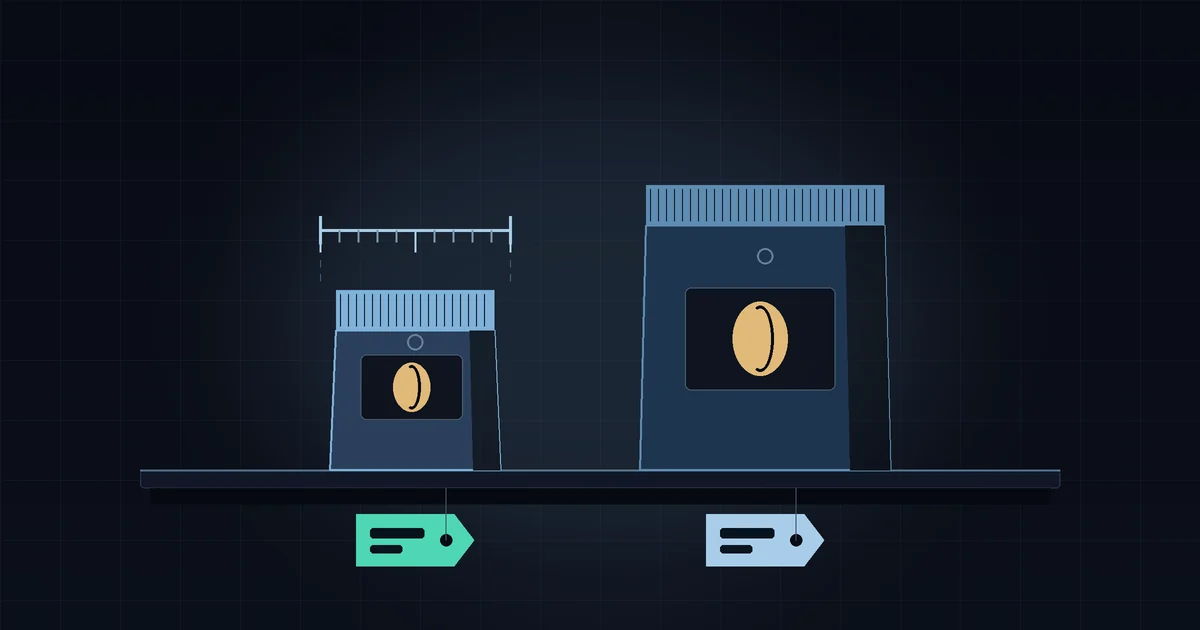
A competitor lists a bag of coffee at $16 and yours sits at $14. On the shelf you look cheaper. Then you notice their bag is 340 g and yours is 250 g, and the picture flips: per gram, they are the cheaper store. Comparing sticker prices only works when both stores sell exactly the same thing in exactly the same size. In most small niches they don't, so the useful comparison is the unit price. You can work it out from public Shopify data, bundles and multipacks included, as long as you know where the method stops being reliable.
Why sticker prices mislead
Small stores rarely carry identical products. They pack differently, bundle differently and pick different "hero" sizes. Three things in particular break a naive price comparison:
- Different sizes: 250 g versus 340 g, 50 ml versus 100 ml, a 6-pack versus a 12-pack.
- The "From $X" price, which is what a collection page usually shows: the cheapest variant. If a competitor's smallest size is tiny, their headline price looks low while their main size may be expensive.
- Bundles, where a "3 for $42" offer is a different price from three singles, and customers who buy in bulk compare against it.
If you only track the headline number, you can end up cutting a price that was already competitive, or ignoring a competitor who quietly undercuts you on the size most people actually buy. That is the same trap that makes a competitor price index useless when products aren't matched properly.
Pick one base unit per category
Unit price is simple arithmetic:
unit price = variant price / size in base units
The only decision is the base unit, and it should be the one customers think in. Some common choices:
| Category | Base unit | Why |
|---|---|---|
| Coffee, tea, food | per 100 g | Numbers stay readable (not $0.047 per gram) |
| Skincare, oils, drinks | per 100 ml | Same reason |
| Socks, cartridges, capsules | per item or per pair | Packs vary from 1 to 30 |
| Fabric, cable, ribbon | per metre | Sold by length |
Stick to one base unit per category across all stores, and convert imperial sizes once (12 oz is about 340 g, 1 lb about 454 g) so every row in your sheet is in the same unit.
Where to find the size in public catalog data
Every Shopify store exposes its catalog at /products.json (the full walkthrough is here). Each product has a list of variants, and each variant has its own price. The size usually sits in one of these places:
- Variant options, the most common case, with values such as "250g", "1 kg" or "Pack of 6".
- The variant or product title, as in "Morning Blend 340g" or "Wool Socks 3-Pack".
- The product description, if a store mentions the size only in the body text. Then you have to read it.
The format is messy. One store writes "250g", another "250 G", a third "8.8oz". In a spreadsheet, a helper column where you type the size in base units by hand is faster and less error-prone than trying to parse every format with formulas. For a few competitors and a few dozen matched products, it takes one sitting, and sizes rarely change afterwards. The free store checker is a quick way to see a store's catalog and variants before you start.
A worked example
Say you sell coffee in 250 g and 1 kg bags. Competitor A sells 340 g bags and a 3-bag bundle. Competitor B sells only 1 kg bags.
| Store | Product | Price | Size | Per 100 g |
|---|---|---|---|---|
| You | 250 g bag | $14.00 | 250 g | $5.60 |
| You | 1 kg bag | $50.00 | 1,000 g | $5.00 |
| Competitor A | 340 g bag | $16.00 | 340 g | $4.71 |
| Competitor A | 3 x 340 g bundle | $42.00 | 1,020 g | $4.12 |
| Competitor B | 1 kg bag | $48.00 | 1,000 g | $4.80 |
On sticker price, your 250 g bag is the cheapest item in the table. Per 100 g it is the most expensive. Your 1 kg bag is $2 above Competitor B's, about 4% more for the same weight. And Competitor A's bundle undercuts everyone by a wide margin.
To compare like with like, group rows into size bands: small bags (250 to 340 g) against each other, large packs (around 1 kg) against each other. Customers buying a first bag and customers stocking up are different shoppers, and they compare within their own band.
How to read bundles and multipacks
A bundle has two numbers worth tracking. The first is the unit price, as above. The second is the bundle discount against buying the same items one by one:
bundle discount = 1 - bundle price / (number of items x single price)
For Competitor A: three singles cost $48, the bundle costs $42, so the discount is 1 - 42 / 48 = 12.5%. That number tells you how hard they push bulk buying. If it jumps from 12.5% to 25% for one week, they are probably running a promotion. Telling the two apart is easier with a log of their past sales.
Watch out for bundles that mix different products, like a "starter kit" with coffee, a filter and a mug. There's no fair unit price for those. Compare them against the sum of the singles from the same store and leave them out of the unit-price table.
Where this approach runs out
Unit prices leave a few things out:
- Quality. Single-origin and blend, organic and not: per-gram parity can still mean you are cheaper for what you offer, or more expensive.
- Shipping and checkout discounts. Catalog prices don't include them, and a free-shipping threshold or a first-order code can change what the customer actually pays. Check those by hand on the competitor's site from time to time.
- Size changes. If a competitor shrinks a bag from 340 g to 300 g at the same price, the sticker doesn't move, but the unit price goes up by about 13%. Only a size column you re-check will catch that.
- Price changes. A unit-price table is a snapshot, and once it's built, most of the work is keeping the price column current.
A tool helps with that last part. StoreSentry checks the stores you add every hour and alerts you to price rises, price drops, new and removed products, with a price history per product. It tracks the listed prices; the size column and the unit-price math stay in your sheet, and the alerts tell you which rows to update.
What to do with the numbers
Once you see unit prices side by side, the decisions get clearer:
- If you are cheaper per unit but look expensive on the shelf, show the unit price on your product page or point out that the larger size is better value. You may not need to cut the price at all.
- If you are more expensive per unit in a band that matters, before matching, work through whether a match is worth it. A bundle or a larger size can be a cheaper response than cutting your main price.
- If a competitor covers a size band where you have nothing, that's an assortment question. The price ladder method helps decide whether the gap is worth filling.
Start small: your five best-selling products, matched against the closest product at each competitor, one base unit per category. It takes about an hour and tells you whether your prices sit where you assumed.
Keep the price column current
StoreSentry checks competitor Shopify stores on a schedule and sends a digest of price moves, launches, restocks and sell-outs by email or Telegram. Free for 2 competitors, no card required; price history on every plan, CSV export on paid plans.
Install the app — free for 2 competitors →