Competitor Stockouts as a Sales Opportunity: A Playbook
Most competitor signals are trends. A price drifts down three percent, a new collection appears, the launch pace picks up — interesting, but nothing changes if you notice a week late.
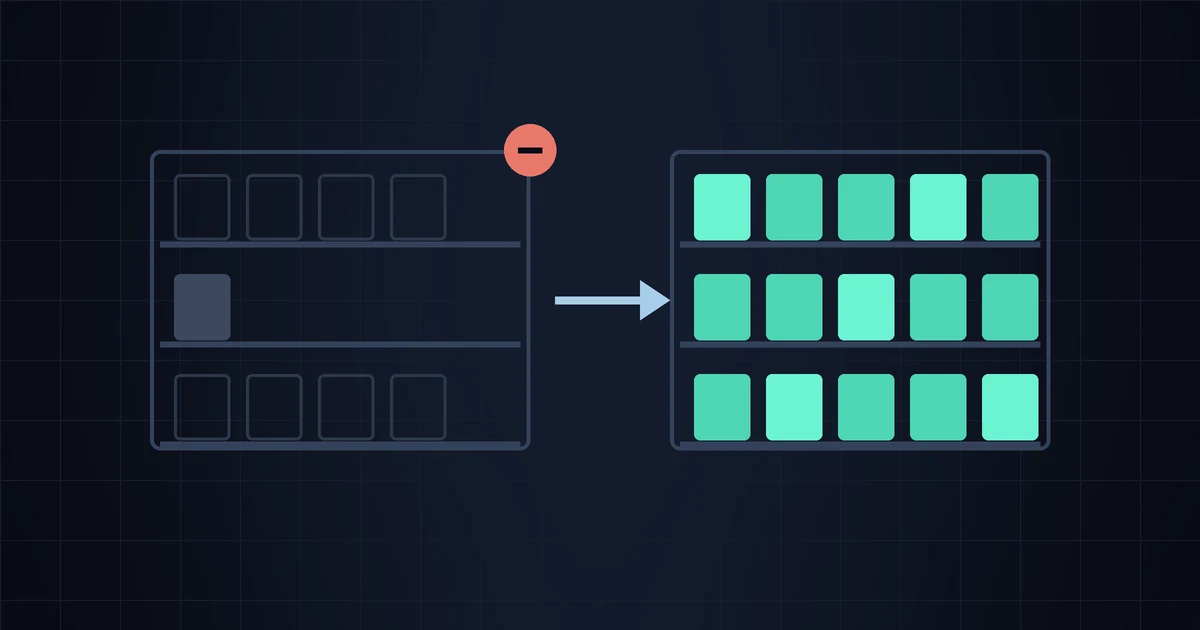
A stockout is different. When a competitor runs out of something you also sell, there is a customer with a wallet open and nowhere to spend it, and the window closes the moment the restock lands. It's the one signal in this whole category with a genuine deadline attached, which is exactly why it's worth having a plan ready before it happens rather than improvising when it does.
It's also the signal people most reliably over-read. So this is two things at once: what to do when a competitor sells out, and how to tell when a stockout means nothing at all.
How you actually see a stockout
You don't need scraping tricks or a browser extension. Every Shopify store publishes its catalog at /products.json, and every variant in it carries an available flag. When all variants of a product flip to false, that product is out of stock. WooCommerce stores expose the same thing through their Store API. We covered the mechanics in detail in the /products.json trick, so here we'll stick to what matters for availability specifically.
Three distinctions do most of the work:
- Full vs partial. One size out of six is normal retail life. All six is an event. Watching at the product level rather than the variant level saves you from a stream of meaningless alerts about size XS.
- Sold out vs delisted. A store can hide sold-out products from its collections entirely. When that happens the product doesn't flip to
false— it vanishes from the feed. Vanishing is ambiguous: it can mean sold out, discontinued, or moved to a hidden collection for a sale. Treat a disappearance as a question, not an answer. - Sold out vs "we'll ship it eventually." Shopify merchants can enable continue-selling-when-out-of-stock, and preorder apps do the same thing. Those products stay
available: truewhile the merchant has zero units on a shelf. You can sometimes catch it from wording on the product page ("ships in 4–6 weeks"), but from the catalog data alone it's invisible.
That third one is a real blind spot in every tool that works from public data, ours included. If a competitor takes backorders, you will not see their stockout at all — and the customer might not care, because they'll wait. Know that going in.
Four questions before you do anything
An alert fires. Before you touch an ad budget, run these:
- Do you actually sell the same thing? Not the same category — the same or a genuinely comparable product. A competitor selling out of a $180 wool throw does nothing for you if your throws are $40 acrylic. Different buyer, different decision.
- Is it their hero or their tail? A stockout on a product that drives most of their traffic redirects real demand. A stockout on item 340 of 400 redirects nobody, because nobody was going there.
- How long has it been out? An hour is noise — inventory syncs glitch, flash sales drain stock and get topped up. Three days is a supply problem. Two weeks is either a discontinued SKU or a broken supplier, and both are worth knowing.
- Is it one competitor or several? This is the highest-value question in the list, and we'll come back to it.
The playbook, in order of what actually works
Here's the honest ranking, from the moves that pay to the move everyone reaches for first and shouldn't.
1. Check your own stock before anything else
Unglamorous and the highest-return step by a wide margin. If you're about to route demand toward a product, be certain you can serve it — enough units, a realistic dispatch time, and shipping messaging that says so. A stockout window you win with traffic and then lose to your own three-week lead time is worse than ignoring it, because you paid for the clicks.
2. Buy visibility on that specific product
If you already run search or shopping ads, this is where a small, targeted budget increase genuinely earns its keep for a few days. The competitive landscape for that exact query just got thinner, and whatever you were paying to sit behind them costs less to win now. Keep it narrow — the product and its closest terms, not the whole account.
The practical constraint is speed. If a campaign takes you two days to build and the window is four days, you've spent half of it in setup. The fix is boring: build the campaigns for your top five products once, leave them paused, and unpause the relevant one when an alert arrives.
3. Move it in your own storefront
Free and immediate. Put the product on the homepage, front of the collection, in the nav. If you have an email list with a segment that has browsed or bought that category, one short email is the cheapest demand-capture in the playbook — and it doesn't need to mention a competitor at all. "Back in stock and ready to ship" is a perfectly good email that happens to land during someone else's outage.
4. Say "in stock" where machines can read it
Make sure the product's availability is correct in your Google Merchant Center feed and on the page itself. Shoppers filter and sort on availability more than merchants expect, and a feed that's stale by two days costs you the window silently.
5. Raise the price — usually don't
This is the first instinct and it's mostly wrong at small-store scale. You're rarely the only alternative: the customer has a marketplace, a big-box option and three other Shopify stores in the same tab group. Raising 15% during someone else's outage tends to lose the sale rather than fatten it, and if a returning customer notices the swing, you've traded a few points of margin for a chunk of trust.
The narrow case where it's defensible: you're genuinely supply-constrained yourself, the product is scarce across the market, and you'd otherwise sell out before you can restock. That's rationing, not opportunism, and it's rare. If you're weighing a price move for other reasons, the framework in should you match a competitor's price applies in both directions.
The trap: a stockout is not proof of demand
The seductive reading is "they sold out, so it sells." Sometimes true. But the same empty shelf appears when a supplier missed a container, when the merchant deliberately ran the SKU down because it wasn't moving, when a seasonal line simply ended, or when the store is a dropshipper whose supplier went dark. From the outside, all five look identical.
Which means: capitalize on a single stockout with cheap, reversible moves — ad budget, placement, an email. Don't make an inventory bet on one. If you're tempted to order 300 units because a competitor ran out, wait for corroboration: several competitors out at once, or the same product going out repeatedly over a few months. Repetition is evidence. One event is an anecdote.
And watch the restock, not just the outage. How fast they come back tells you as much as the gap did — 48 hours means a healthy supply chain and a window you'll rarely win; six weeks means an opening you can plan around, and possibly a gap in the market worth filling permanently.
Know about the stockout while the window is still open
StoreSentry watches public Shopify and WooCommerce catalogs and tells you when a competitor sells out, restocks, changes a price or launches something new — by email, Telegram, or both. Free for 2 competitors, no credit card.
Install the app — free for 2 competitors →Free ways to watch availability yourself
You don't need to pay anyone for this, and it's worth knowing the alternatives before you pay us.
- A bookmark folder and two minutes a day. If you have three competitors and care about five products, open the pages and look. Genuinely fine, and better than a tool you ignore.
- Google Sheets with IMPORTDATA. Pull a competitor's
/products.jsoninto a sheet, extract theavailableflags, and set a conditional format. Sheets can email you when a cell changes if you add a short Apps Script trigger. Free forever, and about an hour of setup. - n8n, Make or Zapier. An HTTP request on a schedule, a filter on the availability field, a Telegram or email step. Self-hosted n8n costs nothing but your server.
- Page-change watchers like Visualping or Distill, pointed at a product page. Workable for a handful of pages, but they watch pixels and text rather than the catalog, so dynamic elements and cookie banners generate false alarms — the failure mode we picked apart in price monitoring vs page monitoring.
The reason to use a purpose-built tool isn't capability, it's attrition: the DIY versions work beautifully for three weeks and then quietly break when a competitor changes theme or you stop looking at the sheet.
Where StoreSentry is today, honestly
We detect a product going out of stock when every variant flips to unavailable, and we detect the restock when it comes back — both across Shopify and WooCommerce stores. Alerts go to email, Telegram or both, on an instant (checked every 15 minutes), daily or weekly schedule.
What we can't do: see quantities (public catalogs expose in/out, never units left), see through backorders and continue-selling settings, or tell you why a product disappeared from the feed. We also can't yet route stockouts to Telegram instantly while everything else goes to a daily email — that per-event routing is on the roadmap and isn't shipped. For now, if stockouts are what you care about, the workaround is the one we'd recommend anyway: both channels on, daily digest, and instant only during a season when the window really matters.
A routine that fits in five minutes a week
Pick the five to ten products where you and a competitor genuinely overlap. Watch those, not their whole catalog. When something goes out: check your own stock, unpause the campaign you built in advance, move the product up your homepage, and note the date. When it comes back, note that too.
After three months you'll have something more valuable than any individual win — a record of which competitors run tight inventory, which products go out repeatedly, and how long the gaps actually last in your niche. That's the input for the decisions that matter: what to stock deeper, what to advertise against, and which competitor is quietly struggling to stay supplied.